



Reviews (9)
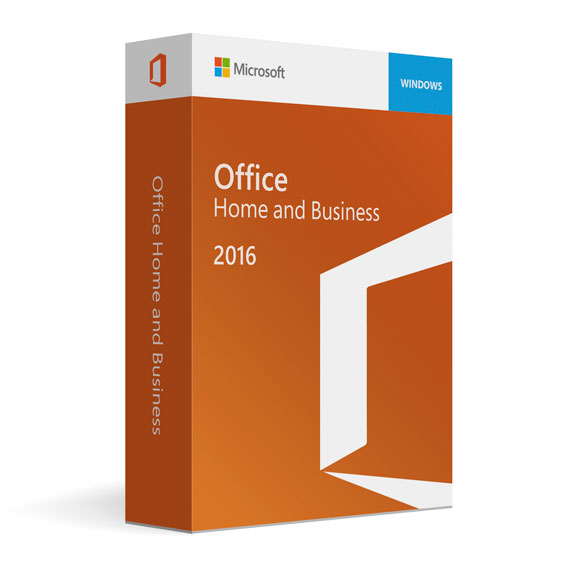
Office Home and Business 2016 for PC
Sale•Almost sold out$24.99

PAY SAFELY WITH PAYPAL — YOUR PURCHASE IS FULLY PROTECTED

100% PayPal Protection
Protected against non-delivery or fraud.

Instant Delivery
Automatic email delivery right after payment.

Free Expert Support
Help with setup, activation, and troubleshooting.

Original License
Genuine license securely linked to your account.

Secure Payments
SSL-encrypted payments via trusted providers.

Invoice Available
Download your invoice after purchase.
System Requirements
- Operating system: Windows 10, Windows 8.1, Windows Server 2016, Windows Server 2012 R2, or Windows Server 2012
- Memory: 2 GB RAM
- Hard disk: 3 GB of available disk space
Microsoft Office 2016 Home and Business
Microsoft has been in the software making sector for a long time now. They have established a separate fan following for themselves with their products containing incredible features to back their present appeal in the market. Likewise, Microsoft Office 2016 was released to match the high expectations of users. One of its editions is named as Microsoft Office 2016 Home and Business.
Microsoft Office 2016 Home and Business carries a single license to use for a particular user. It is recommended to read the licensing terms before buying the product. Understand what suits your needs and purchase the product accordingly. Though, talking about Microsoft Office 2016 Home and Business, you’ll always end up with a satisfying feeling. It is an edition which is fueled with powerful software which are considered to be the best tools to use for business purpose. The components included in the pack are:
Microsoft Office Word 2016
Microsoft Office PowerPoint 2016
Microsoft Office Excel 2016
Microsoft Office Outlook 2016
Microsoft Office OneNote 2016
The package can be used anywhere in the world without any complications. Microsoft Office 2016 Home and Business inspires business people to create, edit, store and share well-polished files. As an individual who is in the business field, it is important to impress clients. With Microsoft Office 2016 Home and Business, you’ll be able to leave a solid mark on other individuals showcasing your real talent with ease.
Features
What Features Do You Receive With Microsoft Office 2016 Home and Business ?
Word 2016: Word 2016 is the best software available in the market for creating, editing and storing documents. It has a powerful feature like ‘Ink Editor’ which can be very useful while evaluating a specified document. The feature allows users to scribble over the document to make notes over required areas. Additionally, the software has included ‘Read Mode’ in its interface which clears all the disturbances on the window and lets the user peacefully read the document. Grammar and Spell Checking tools are enhanced too. With the addition of ‘Smart LookUp’ now users can browse information concerning each selected word in the document now.
Excel 2016: Excel features a new interface which has been lacking in previous versions. Microsoft has given a much-needed upgrade for Excel in addition to new themes, new templates, and new charts. With these additions, now user can also group data between multiple tables and charts quickly. The existing data analysis tools are improved to make calculations in Excel 2016 easier.
PowerPoint 2016: Microsoft has given extra attention towards providing more customization options to users. Some new transitions are added in this version of PowerPoint. Also, ‘Ink Replay’ and ‘Zoom’ features are added to allow users to review slides with ease. The interface has been enhanced to give it an alluring look. Like Word 2016, users can track changes of any change in the presentation. ‘Smart LookUp’ feature is also added in this edition of PowerPoint which helps users to have all the information they need at their corner.
Outlook 2016: Business people love tools which can save their time. Microsoft has designed Outlook keeping what people in business love. When an individual clicks on the ‘Add Attachment’ option, the smart interface of Outlook display recent files which can eliminate the time-wasting action of searching for required files while attaching an attachment. ‘MyAnalytics’ is a unique feature added in the pack which gives users the knowledge concerning files which they have in common with other contacts.
OneNote 2016: OneNote was released with a vision of giving users a digital notebook where they can keep notes and store audio files, video files, web pages, etc. The interface of OneNote has been enhanced by making space for more options in its notification tray. Whenever you open the application, ‘Quick Note’ appears by default. Thus, the user can keep the record of existing notes and create new notes with ease on the new smart interface of OneNote 2016.


 No products in the cart.
Elias Z. –
War mein erster Online-Kauf dieser Art, lief aber gut.
Patrick Y. –
Ich hatte keine Ahnung von Softwarelizenzen, aber hier war alles gut erklärt. Die Anleitung war verständlich, und die Lizenz funktionierte auf Anhieb.
Theresa J. –
Für unseren Betrieb perfekt. Software funktioniert einwandfrei, alle Lizenzen wurden korrekt verarbeitet.
Vanessa T. –
Hatte Fragen und der Support war sofort da.
Laura D. –
Keine technischen Probleme, keine Wartezeiten – einfach nur ein reibungsloser Ablauf vom Kauf bis zur Nutzung.
Elias Z. –
Preiswert und ultraschnell geliefert!
Sabine F. –
Die Lizenz kam schnell per E-Mail. Programm funktioniert einwandfrei ohne Abstürze.
Anna S. –
Bestellung war unkompliziert und die Lizenz funktionierte sofort.
Alina V. –
Ich habe das Ganze spontan gekauft, ich musste nichts nachbessern. Genau das was ich gesucht habe.