



Beoordelingen (0)
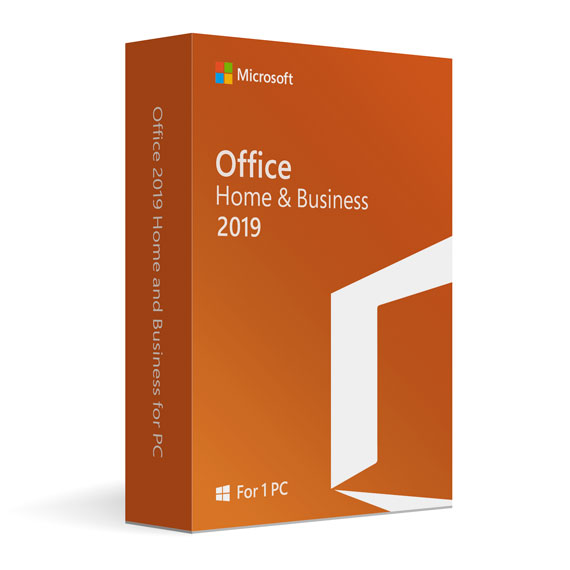
Office Home and Business 2019 for PC
Aanbieding•Bijna uitverkocht!39,99 €

BETAAL VEILIG MET PAYPAL — JE AANKOOP IS VOLLEDIG BESCHERMD

100% PayPal-bescherming
Beschermd tegen niet-levering of fraude.

Directe levering
Automatische levering per e-mail direct na betaling.

Gratis deskundige ondersteuning
Hulp bij installatie, activatie en probleemoplossing.

Originele licentie
Originele licentie veilig gekoppeld aan je account.

Veilige betalingen
SSL-versleutelde betalingen via vertrouwde betaalproviders.

Factuur beschikbaar
Download je factuur na je aankoop.
Microsoft Office 2019 Home Business for PC
All of the applications have undergone some serious changes, for the good. The updates are tailored to help busy people get through work efficiently.
One time purchase, one time install for the classic applications you are used to, but with better features.
You can easily share and save content with anyone that you would like.
Outlook makes it easier to keep your important mail separate than other pieces of mail.
Office as a whole makes it easier for you to manage and organize your business.
Owning your own business is a great and exhilarating feeling at times, who doesn’t want to be their own boss? But it can also be stressful and overwhelming at times, which is why Microsoft would like to help you ease some of your workloads with the 2019 home business version of Office.
With a one time purchase and download, you’ll be able to utilize Outlook, Excel, Word, and PowerPoint. These are the same classic applications that you are used to using if you have had Office before, but they have gotten better with time. The new features are designed more intuitively to allow you to work more efficiently and produce more professional documents.
Features
Word
Create, edit, and share your documents with your course mates and colleagues.
Edit photos hassle-free with the improved Word features.
Customize your tab commands to fit your needs. This helps you navigate through your tasks effortlessly.
Use “Tell Me” to look up for things you want to be done.
Excel
Perform better data analysis by using improved formulas and chats.
Model your data professionally using the new, improved PowerPivot.
Import data from different sources like SQL, Access, web pages using enhanced Power Query.
Use 2-D modeling to help visualize your data.
PowerPoint
Use zoom capabilities to order slides within the presentation.
Insert and manage icons, 3-D models, and SVG.
Use Morph and Animation to make your presentation more appealing.
Outlook 2019
Use Focus Mode to block out distraction and manage your email more efficiently using;
Travel and delivery summary cards to easily track your itineraries.
Use “focused inbox” and “other” to prioritize your emails.
Use @Mentions to draw the recipient’s attention to your email.
Gerelateerde producten
-
Microsoft Access 2024 for Windows
119,99 € -

Microsoft SQL Server 2014 Standard
149,99 €

 Geen producten in de winkelwagen.
Beoordelingen
Er zijn nog geen beoordelingen.